Headless Browser Testing: Cypress, Playwright, and Selenium Comparison
Headless browser testing is a way of running browser user interface tests without the “head.” Headless browser testing authorizes automation testing of web applications without needing a graphical user interface. This feature is beneficial when conducting tests, particularly in a continuous integration environment where visual monitoring is not required. Eliminating the browser GUI diminishes unnecessary overhead.
With the rise of headless browsers, there has been an inflow of tools and frameworks to support this type of testing. Cypress, Playwright, and Selenium are three popular headless browser tools that have recently gained considerable attention.
Streamline Testing with Headless Browsers
Headless browsers are one of the significant achievements in software testing as it has simplified the test process for developers and QA teams. In contrast with standard browsers having a graphical user interface, headless browsers function without a visible browser window. It leads to quicker and more effective tests, as headless browsers run automated tests in the background without visual interference.
Moreover, headless browsers offer improved scalability, as multiple instances can be run concurrently, enabling parallel test execution and diminishing overall testing time. The ability to run tests in isolation without a GUI makes headless browsers well-suited for integration into continuous integration and delivery pipelines.
Cypress: User-Friendly, Powerful Automation Testing
Cypress is a user-friendly and powerful tool that has taken the automation testing world by storm for software development groups. Cypress helps simplify the process of writing and executing automated tests due to its user-friendly interface and several features.
Cypress offers real-time reloading, enabling developers to observe the effect of code modifications immediately without running through all tests again. It speeds up the developmental process and promotes efficiency. Further, Cypress has a wide range of built-in commands and assertions that can help interact with the web elements and verify the expected behavior.
The powerful debugging capabilities of Cypress empower developers to efficiently identify and address issues promptly. Running headless tests can quicken testing and permit developers to run tests in GUI-unavailable environments. The headless mode in Cypress is a way of executing a test case. When test cases are executed in Cypress without UI, it is called headless mode.
Playwright: Cross-Browser Support, Debugging Capabilities
Playwright is another powerful automation testing tool with cross-browser support and advanced debugging options. Playwright allows developers to create tests for various browsers such as Chrome, Firefox, and Safari. It eliminates the need to write custom scripts for each browser, saving time and effort in testing.
Playwright also provides extremely potent debugging tools that help developers quickly locate and resolve test bugs. Its interactive mode allows for the step-by-step running and debugging of test code, simplifying troubleshooting and fine-tuning all tests. Playwright’s comprehensive API documentation and community support further enhance its usability and effectiveness. Overall, Cypress offers a seamless and efficient testing experience, empowering teams to deliver high-quality applications confidently.
Selenium: Industry Standard for Web Testing
The flexibility, reliability, and adoption as an industry standard have allowed Selenium to take up web testing. Using Selenium, web developers can automate multiple testing procedures such as functional tests, regression tests, and user interface, ensuring an application’s functionality. It can support programming languages, such as Java, Python, and C#, that allow teams to work in their preferred programming language.
Furthermore, Selenium operates compatibly with several browsers, such as Chrome, Firefox, and Safari, which makes it suitable for use across various operating systems. Its extensive documentation and active community support make it leisurely to learn and troubleshoot any issues that may arise during the testing process. Selenium’s position as the industry leader in web testing can be explained by its stable performance record and vast functionalities. Additionally, it is widely adopted by testing professionals.
Here is a comparison between Cypress, Playwright, and Selenium for headless browser testing:
Ease of Use: Cypress vs. Selenium
Both frameworks offer advantages when comparing the ease of use between Cypress and Selenium. Cypress, known for its simplicity and intuitive API, furnishes a seamless and efficient testing experience. Its explicit and concise syntax permits developers to write tests efficiently and understand them at a glance. With its built-in automatic waiting and real-time reload Cypress streamlines the testing process, reducing the need for manual interventions. Furthermore, Cypress has a visual test runner that presents live reloading of tests and extensive debugging information, ensuring easier troubleshooting.
However, although Selenium requires a steeper learning curve than any other tools, supporting a wider variety of programming languages and a large user community could be an advantage regarding documentation and community support. As a whole, Cypress and Selenium are both excellent in their ways when it comes to usability, giving the developers options that fit into each scenario.
Playwright’s Unique Selling Points
Playwright, another robust headless browser testing framework, brings unique selling points. The notable feature of Playwright is its cross-browser functionality and support for different browsers like Chrome, Firefox, and WebKit. It enables developers to write tests and run them across various browsers in one go, thus saving the time and effort associated with testing.
Besides, Playwright offers robust capabilities for automating complex scenarios, including support for file uploads and downloads, geolocation, and network interception. With its dynamic yet comprehensive API, developers can fully control the browser’s behavior, making it easy to simulate real-world user interactions.
Cypress vs. Playwright: Head-to-Head Comparison
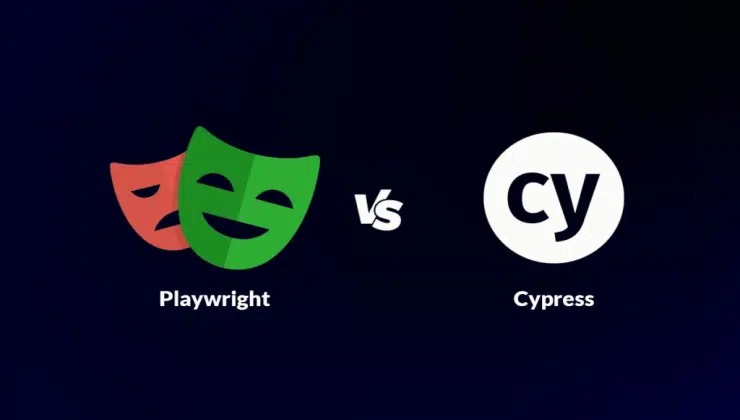
When comparing Cypress and Playwright in headless browser testing, it is vital to consider the strengths and differences of each tool. Cypress is a popular developer choice due to its simple and user-friendly syntax. It has an inbuilt test runner and a vast library of plugins that enable seamless integration into numerous development tools.
On the other hand, Playwright excels in cross-browser compatibility, supporting multiple browsers and offering extensive testing capabilities. Its flexible API and comprehensive documentation give developers the freedom and control to handle complex scenarios effectively. Each tool has its advantages; thus, the decision depends on individual needs or particularities. Both Cypress and Playwright are renowned in the market for their trustworthiness in automating browser testing procedures.
Choosing the Right Tool for You
When choosing the suited tool for headless browser testing, it’s paramount to carefully assess your specific requirements and consider the strengths and weaknesses of each option. While Cypress, Selenium, and Playwright have unique features and advantages, evaluating factors such as ease of use, compatibility with your existing development environment, support for multiple browsers, and the level of control and flexibility needed for your testing scenarios is crucial. Furthermore, all three tools have cloud tool features that enhance the testing experience.
Cypress furnishes a cloud-based dashboard called Cypress Dashboard Service. This service provides users with a convenient platform to efficiently record and organize test results while also offering the ability to access comprehensive and detailed test reports. On the other hand, Playwright offers a cloud tool called Playwright Test, which furnishes a seamless testing experience across different browser engines.
Selenium offers integrations with cloud platforms like LambdaTest, which furnish access to a vast array of browser and device combinations for comprehensive testing coverage. LambdaTest is an AI-powered test execution and orchestration platform that empowers developers and testers to perform automation testing seamlessly on over 3000+ real browsers and operating system combinations.
LambdaTest is a powerful cloud testing platform that aims to simplify and improve the automation testing process for developers and testers. Its ability to automate complex and uncertain scenarios sets it apart, providing a reliable solution for various testing requirements.
This diverse testing environment ensures thorough testing across various configurations, offering comprehensive coverage.
LambdaTest goes beyond the ordinary by offering valuable automation capabilities in tackling intricate testing scenarios. Its user-friendly interface and advanced features empower teams to seamlessly automate tests, enabling efficient and effective testing across different browsers and operating systems. All in all, LambdaTest proves to be a versatile and powerful tool for optimizing automation testing processes.
By considering all the pros and cons of the tools, developers and the QA team can select the right tool for their project.
Benefits of Headless Browser Testing
Headless browser testing furnishes a range of significant advantages for both developers and testers. First, it allows for quicker and more effective testing by removing the requirement of a graphical user interface. With headless browsers, tests can run in the background without rendering and displaying web pages, saving considerable time.
Besides, headless browser testing enables parallel test execution, permitting multiple tests simultaneously, significantly accelerating the overall testing process. Moreover, headless browsers provide better scalability and can be easily integrated into continuous integration and delivery pipelines, guaranteeing smooth and automated testing workflows. Headless browser testing enables compatibility testing across multiple browsers and versions, permitting developers to pinpoint and fix browser-specific issues early in the development cycle.
Conclusion
Headless browser testing is becoming an integral tool for efficient and reliable automation testing. Each tool possesses unique strengths and weaknesses; however, Cypress, Playwright, and Selenium all furnish valuable features for developers and testers. To determine the best-suited tool, the developers and testers must select the project’s specific requirements.


